Progress saves on this device automatically. Each staff member can train on their own phone.
All 5 modules complete!
This team member has finished the bXTRA Partner Academy onboarding. Show this screen to your Sales Specialist — or just start taking orders.
Meet bXTRA — the platform your store joins
~4 minThree apps work together: customers shop and earn 2.5% Cashback on bXTRA PH, your store manages orders on bXTRA PH Vendor, and our own fleet delivers with bXTRA PH Rider. Your store gets a free storefront on bxtra.ph and inside the customer app.
Orders in your Vendor app
~4 min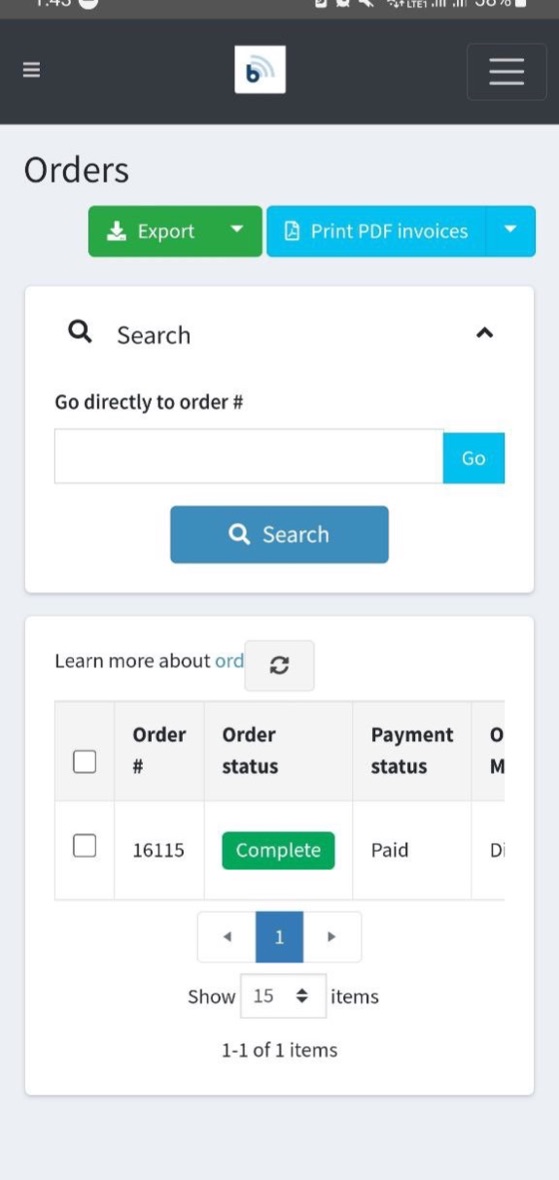
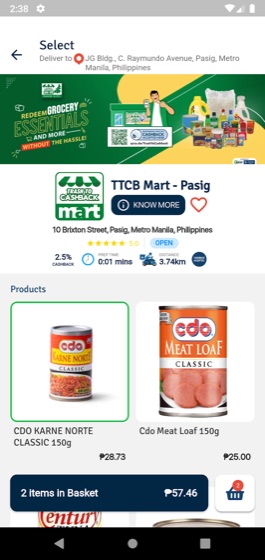
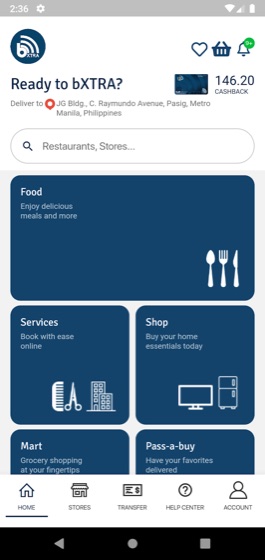
Every order lands in the Orders section of your Vendor app. The flow is always the same: open the order, check the products and payment method, set it to Processing while you prepare, then Ready for Pick Up when it's packed. You can print PDF invoices and export your orders anytime. Install it from Google Play or the App Store.
The bXCODE at your counter
~3 min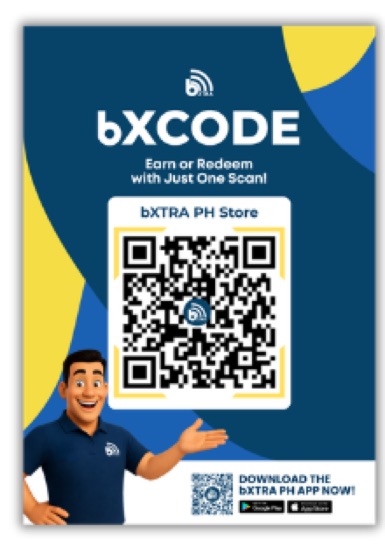
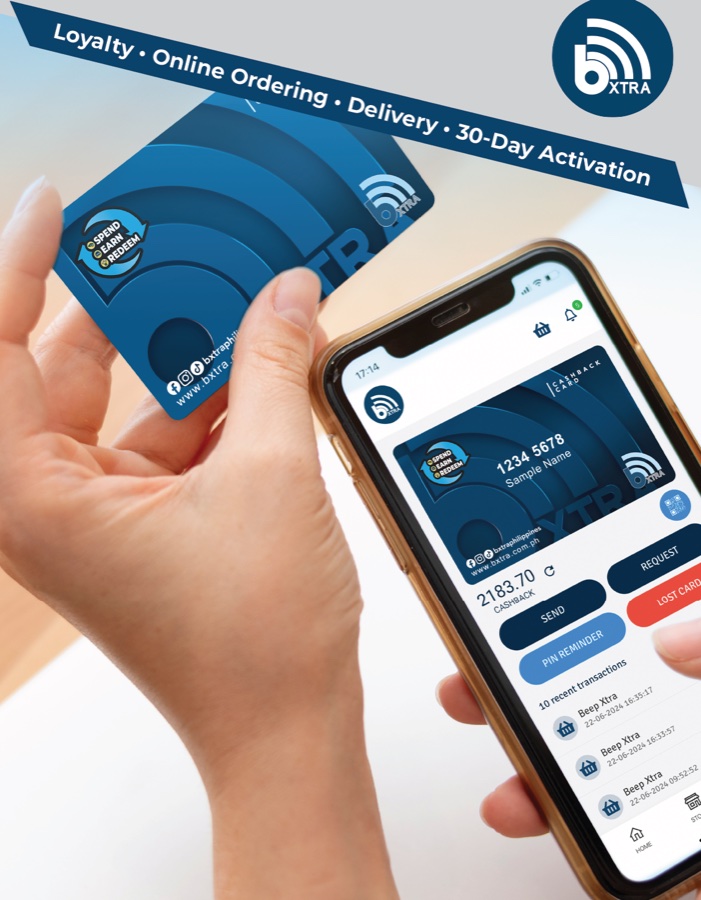
The bXCODE is your store's own QR, displayed at the counter. Customers scan it with their bXTRA PH app to earn Cashback on what they're buying or redeem their balance to pay — from their own phone, with nothing for you to operate. In-store redemption carries a ₱0 fee, and every peso a customer redeems comes back to the store as a credit on the monthly invoice.
Redemptions, step by step
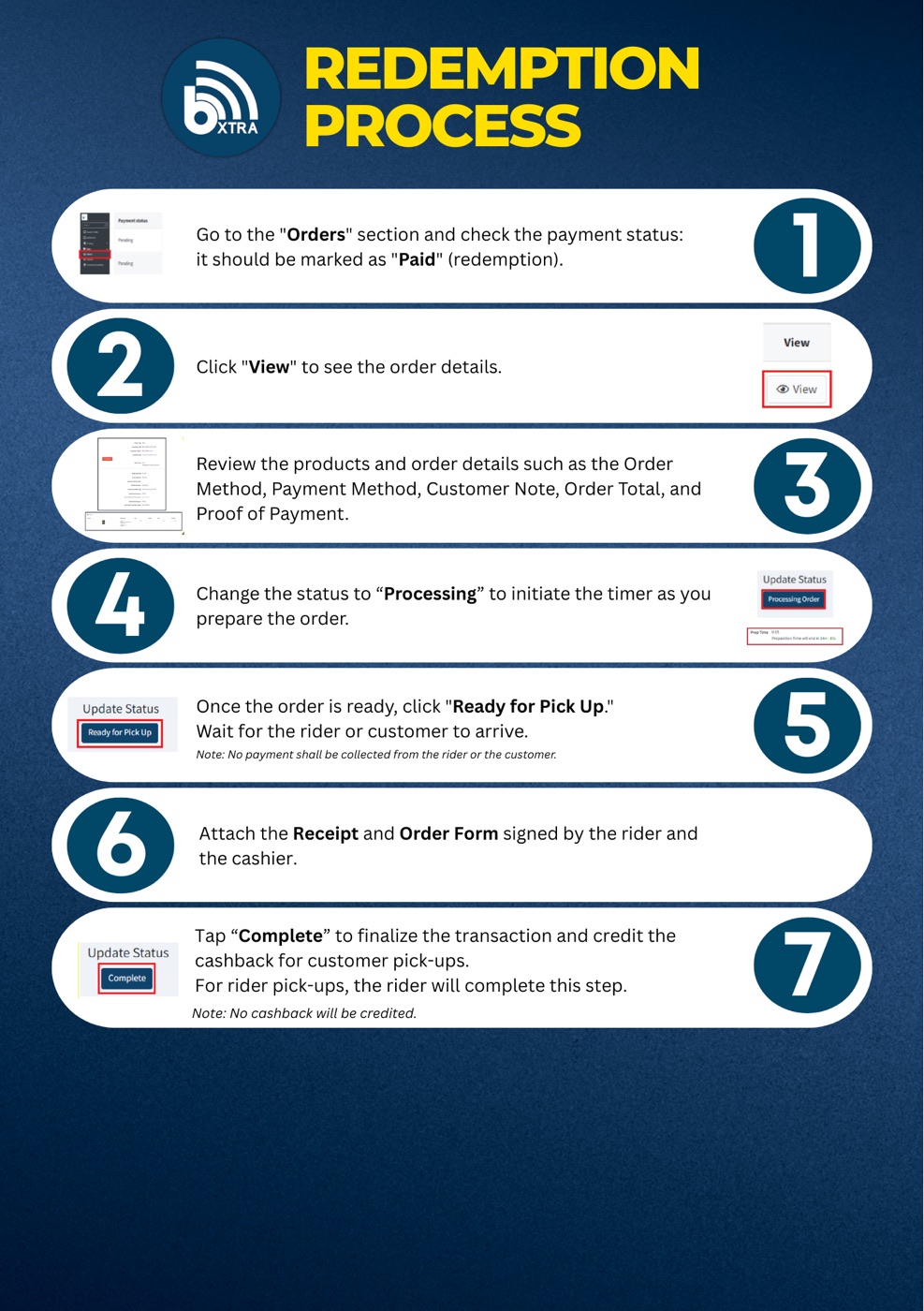
~5 minThis is the official redemption guide sheet — the exact 7 steps in your Vendor app, from checking the order is marked Paid to tapping Complete so the cashback pick-up is credited.
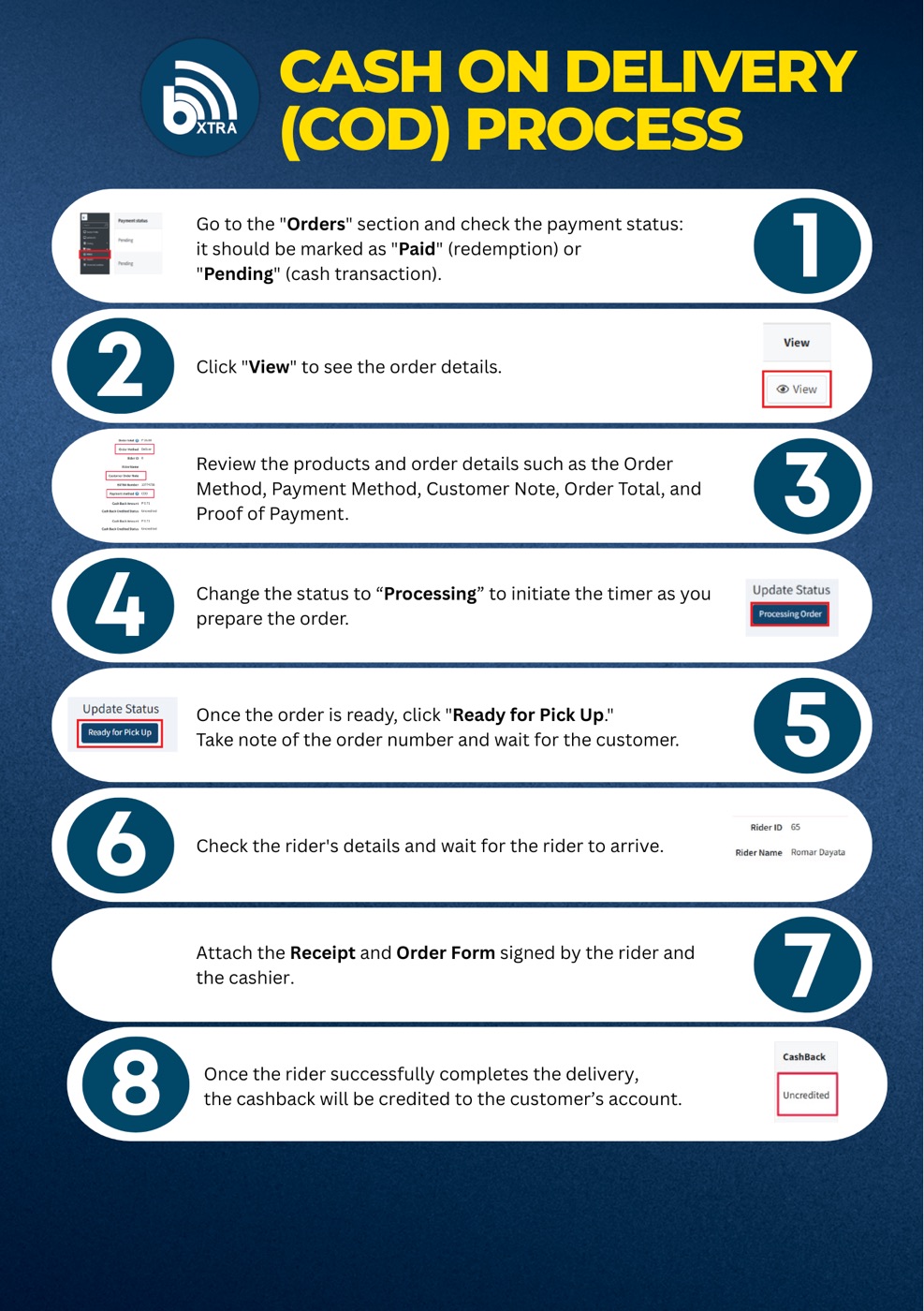
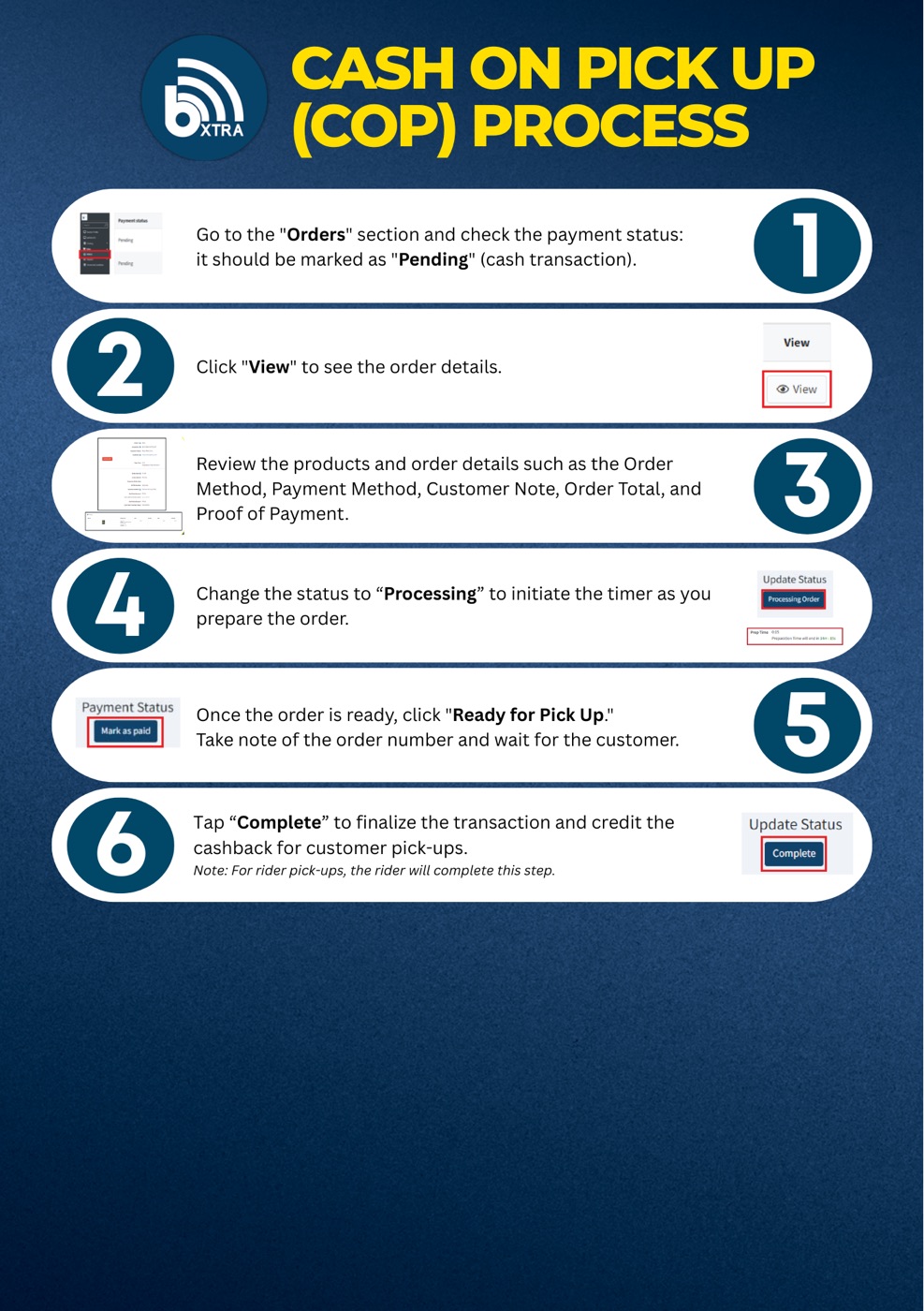
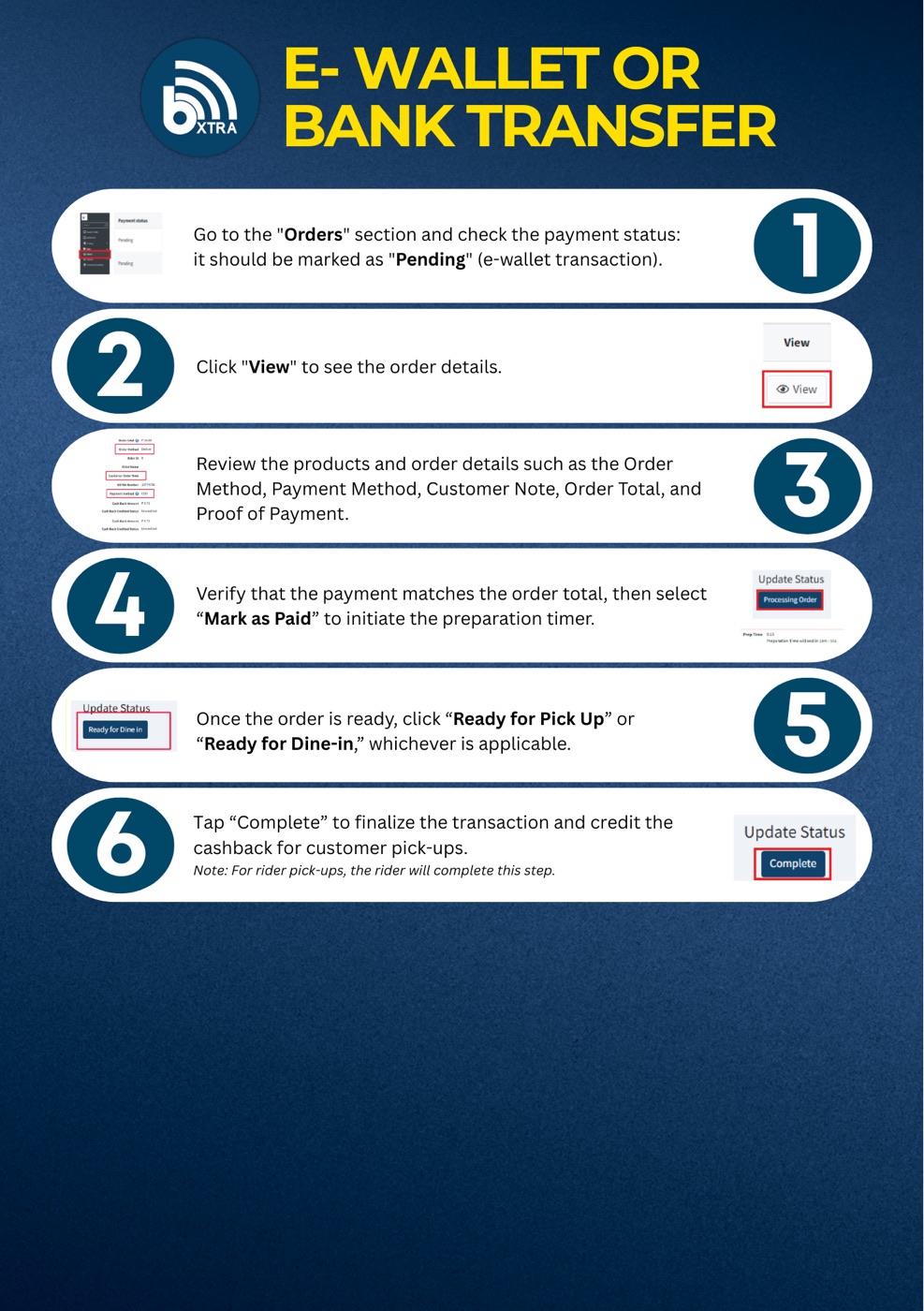
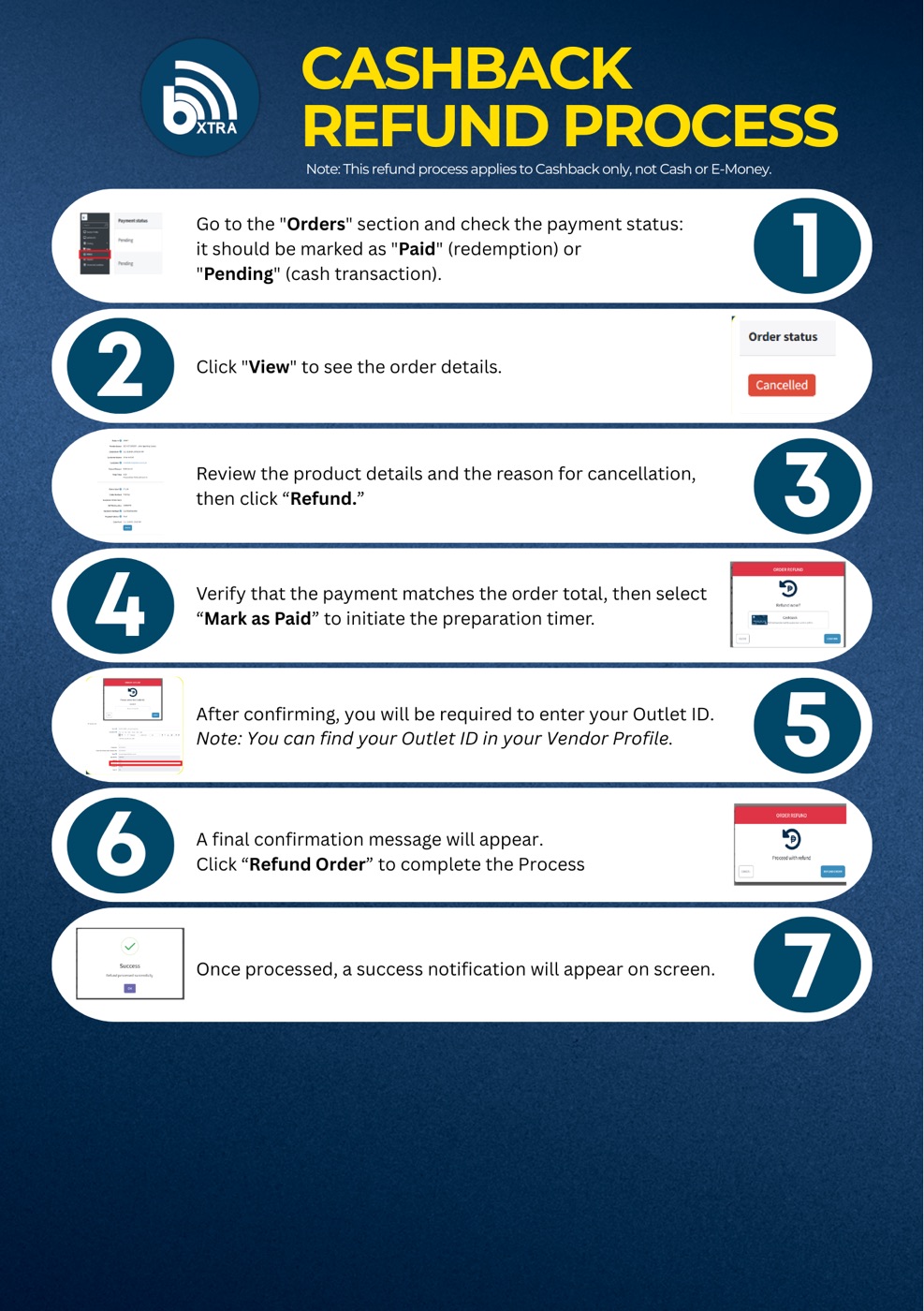
Payments: COD, cash on pick-up, e-wallet & refunds
~5 minFour more official guide sheets cover every payment situation at your counter. Skim each one — they follow the same Vendor-app flow you already know from module 4.